Automated permission setup for a user or group via DB
Question
How to automate the setting of permissions for a user or group, via DB?

Answer
EaInfoport has two tables for personal permissions (user and group). For users, the table is called `package_access_user` and for groups `package_access_group`.
I will describe the procedure for groups here, because we primarily recommend setting permissions for groups, but the procedure for users is similar.
For writing to this table, 4 values are important to us: Group ID, Repository ID, Package GUID (of the package), Permission ID.
We can get the group ID, for example, based on the group name:
SELECT g.Id
FROM AspNetGroups g
WHERE g.Name = 'Group name';
We can get the repository ID, for example, based on the repository name:
SELECT r.Id
FROM Repositories r
WHERE r.Name = 'Repository name';
List of permission IDs for each type:
- Owner has ID 1
- Read has ID 5
- Edit has ID 6
- Review has ID 8
- Delete has ID 10
Attention! The package GUID must be located in our selected repository!
Insert script that writes Read permission for the group 'Group name' in the repository 'Repository name' on the package with GUID '{00GUID00-0000-0000-0000-000PACKAGE00}'. We ignore the Access column, setting it to 0.
INSERT INTO `infoport`.`package_access_group` (`GroupId`, `Access`, `RepositoryId`, `Package`, `RelationTypeId`) VALUES (
  (SELECT g.Id
	FROM AspNetGroups g
	WHERE g.Name = 'Group name'),
  0,
  (SELECT r.Id
	FROM Repositories r
	WHERE r.Name = 'Repository name'),
  '{00GUID00-0000-0000-0000-000PACKAGE00}', '5');
For users, the procedure will be the same, but we will write to the `package_access_user` table and select the user ID from the AspNetUsers table.
Default permissions can be found in the `package_acess` table. Important are the columns Package, RepositoryId, DefaultReadAllowed.
- Package contains the GUID of the package
- RepositoryId contains the number of the repository in which the package is located
- DefaultReadAllowed is the column for default reading. 1 means reading is allowed. 0 means reading is denied. Null means reading is inherited from the Parent.
Roots must have a default set for DefaultReadAllowed! They must not contain Null!

The scripts are made for MySQL.
I will also describe the evaluation logic here, so that there is no confusion.
Personal permissions always apply a negation to the set default permission!
Let's look at this simple example. Package 1 has two sub-packages, 2 and 3.
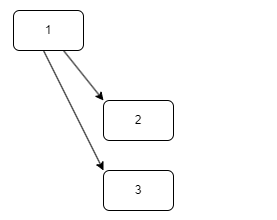
If we have default read enabled set on package 1, and we run an INSERT of a personal read permission on package 2, EaInfoport will calculate a denial for the given group/user on package 2.
Furthermore, if we have default read disabled set on package 3 and we run an INSERT of a personal read permission, EaInfoport will calculate read access for the given group/user on package 3.
Note: In case of direct interventions in the EaInfoport database, a restart of EaInfoport is required!!!