# Discussion (comments) in packages, diagrams, elements
[](https://doc.eainfoport.cz/uploads/images/gallery/2022-05/repo1.png)
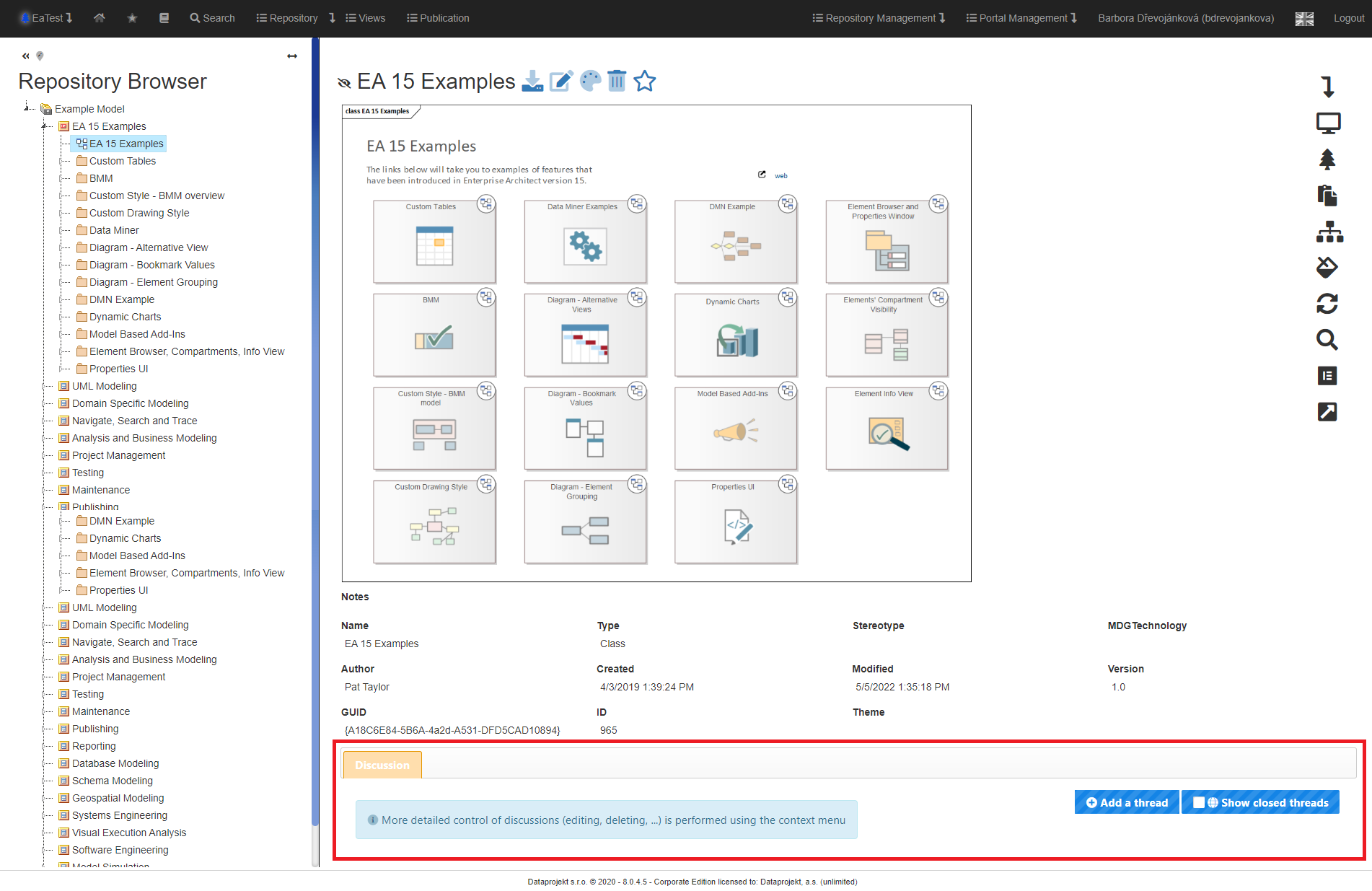
In packages, diagrams and elements, you can see comments from EA and you can also edit and add them.
[](https://doc.eainfoport.cz/uploads/images/gallery/2022-05/discusion.png)
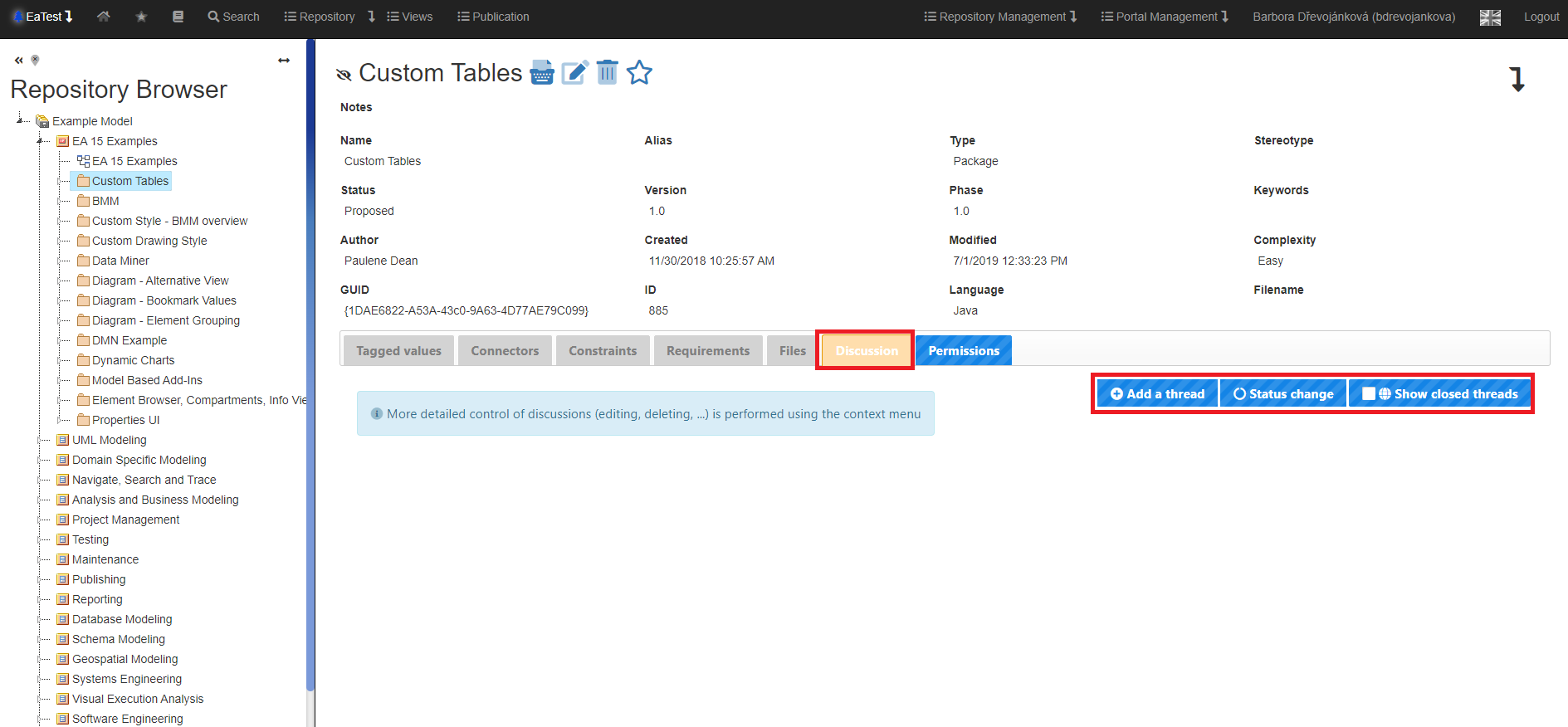
- To create a new comment, click on “*Add a thread*”.
- Portal/repository admin can click on "*Status change*"
- If there is a closed thread, you can check the “*Show closed threads*” filter.
[](https://doc.eainfoport.cz/uploads/images/gallery/2022-05/discusion1.png)
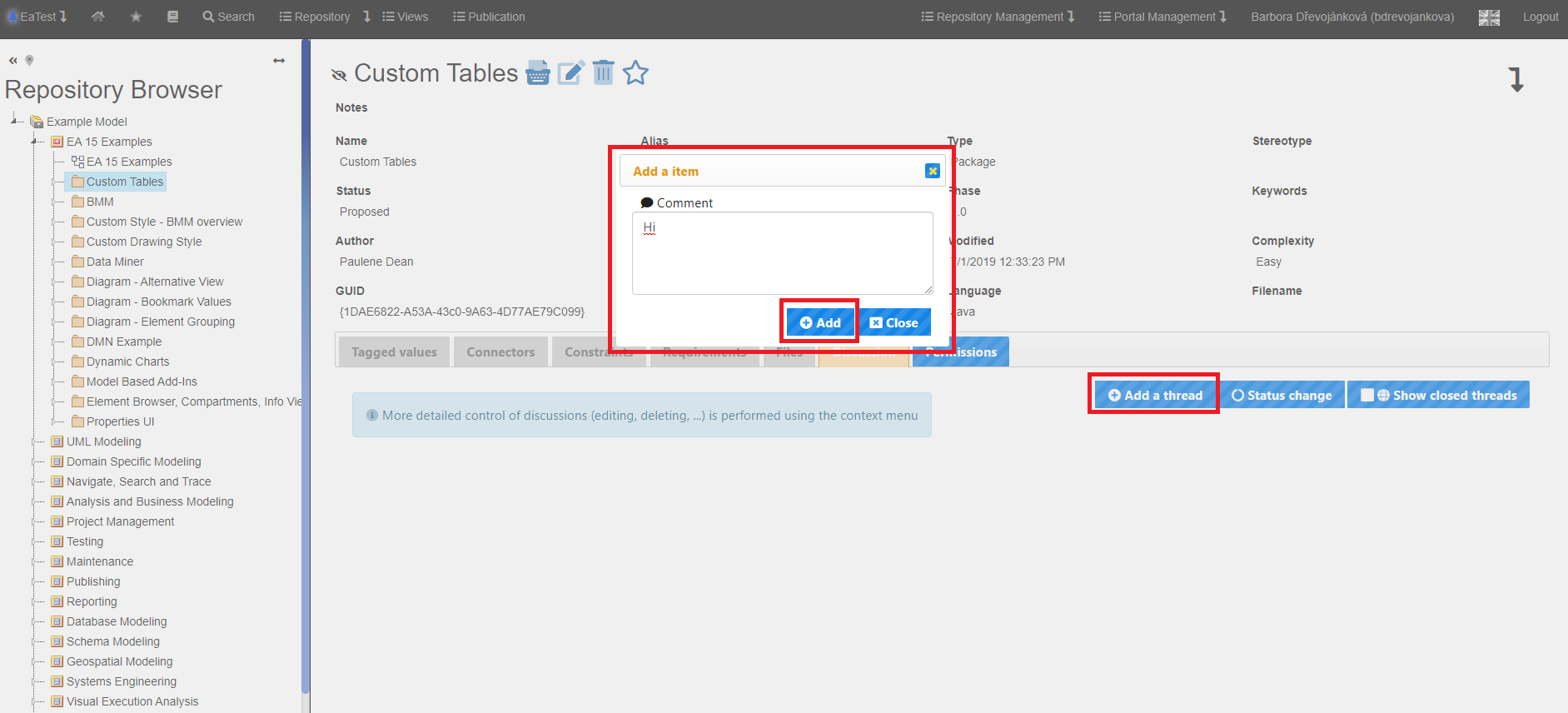
In the picture, you can see that the user admin clicked on “*Add a thread*”. A window popped up where it is just necessary to fill in a text of a comment and after clicking on “*Add*” a comment will be created.
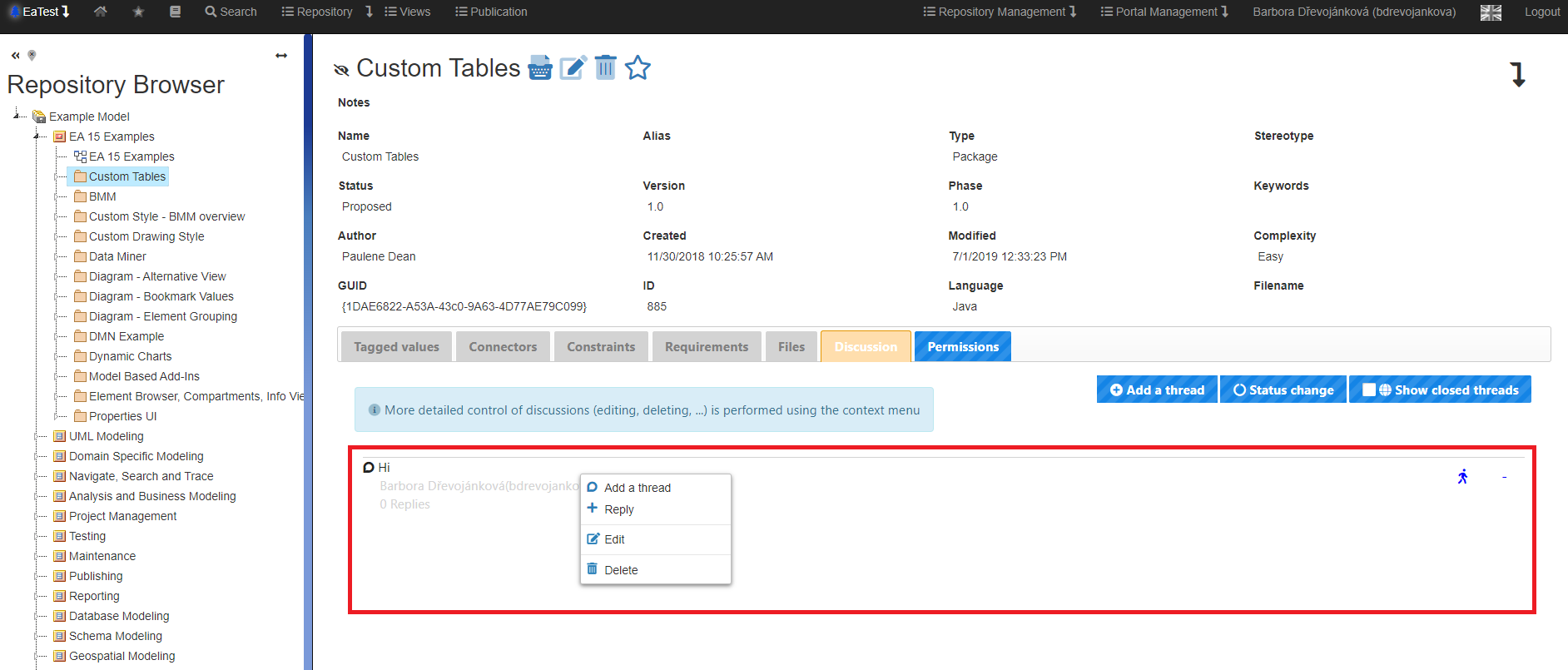
In the marked window, we can see a table with four items. The table can be displayed by right-clicking on the selected comment.
In the picture, you can see that the user admin clicked on “*Add a thread*”.
A window popped up where it is just necessary to fill in a text of a comment and after clicking on “*Add*” a comment will be created.
[](https://doc.eainfoport.cz/uploads/images/gallery/2022-05/discusion2.png)
- The “*Add thread*” option has the same function as the button mentioned above.
- The “*Reply*” option opens a window for creating a comment. After adding a comment, it will be included under the comment that was selected. An example can be seen above the marked comment.
- The “*Edit*” option opens a window where you can set Status, Priority or comment text.
- The “*Delete*” option deletes the comment.
The user has selected the “*Edit*” option.
[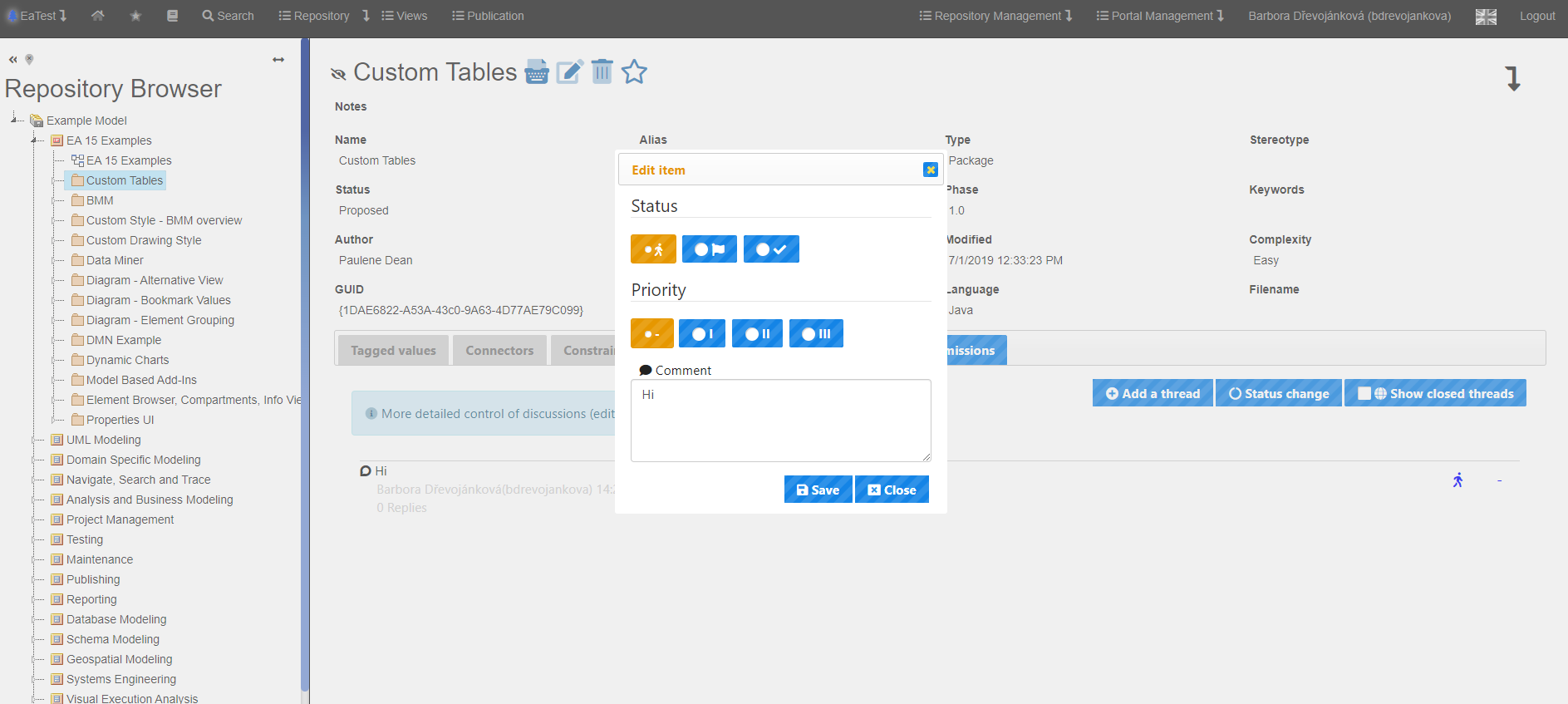](https://doc.eainfoport.cz/uploads/images/gallery/2022-05/discusion3.png)
You have the opportunity to choose between three statuses. *Open, Awaiting Review, and Closed*.
Another option to choose is to set the priority. You can choose *Not Specified, Small, Medium and High*.
Or you can simply change the text of the comment in the text box.