# Repository Management
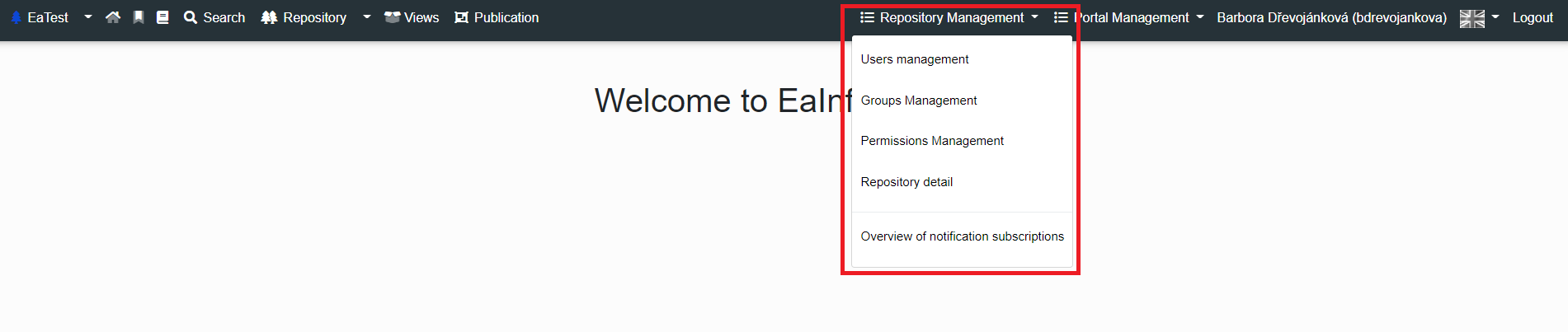
On the right side of the Infoport header we can see a Dropdown menu called Repository Management (*Only logged in user with Repository Manager permission*).
[](https://doc.eainfoport.cz/uploads/images/gallery/2022-10/repository-manager1.png)
- ***Access to the repository tree***
- If a user or group has this permission, they can access the tree and see the tree branches allowed by default
- ***Access to the publication***
- If a user or group has this permission, they can access the publication and see the sections allowed by default
- ***Repository manager***
- If a user or group has this permission, they can access repository management and manage repository users, repository groups, assign and remove repository permissions, and edit repository details
[](https://doc.eainfoport.cz/uploads/images/gallery/2022-10/repository-manager.png)
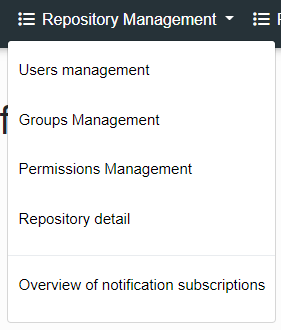
- [User Management](https://doc.eainfoport.cz/books/user-manual/page/11-user-management)
- [Group Management](https://doc.eainfoport.cz/books/user-manual/page/12-group-management)
- [Permission Management](https://doc.eainfoport.cz/books/user-manual/page/13-permission-management)
- [Repository Detail](https://doc.eainfoport.cz/books/user-manual/page/14-repository-detail)
- [Overview of notification subscriptions](https://doc.eainfoport.cz/books/user-manual/page/15-overview-of-notification-subscriptions)