
Connecting to the EA Repository Database "Native Connection"
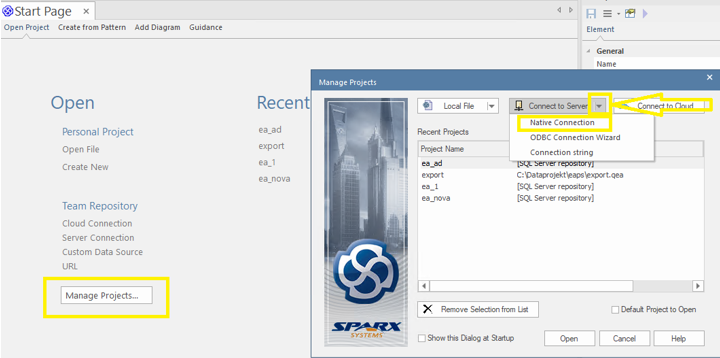
Run the Enterprise Architect program > Manage Projects > Connect to Server, and use the arrow to select "Native Connection".
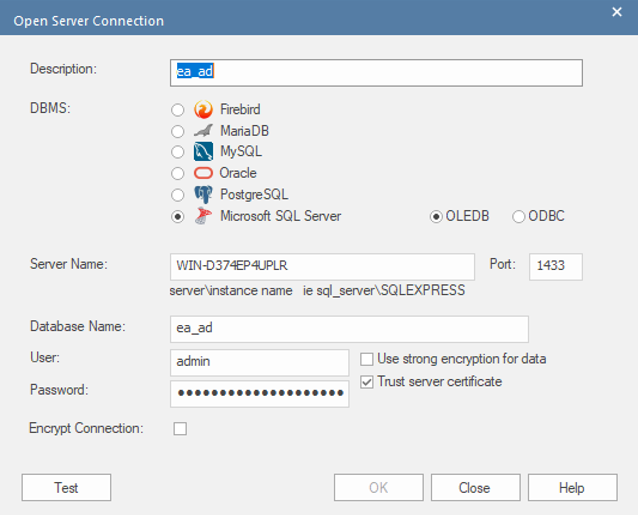
After filling in the required details, click the Test button, and if the test completes successfully, confirm with OK.
The next step is to create a "Shortcut".
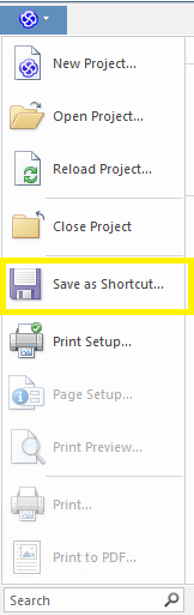
In the top left corner, click the Enterprise Architect logo and select "Save as Shortcut".
Save the file to your PC and copy the path, which you will need to enter later when configuring the Infoport.
No Comments